· Marc Price · ai-marketing-automation · 11 min read
AI Tool Use: Bye Bye Hallucinations, Hello Integrations
Most AI hallucinations come from one thing: gaps in training data. Tool use closes those gaps - and turns AI from a clever talker into a working colleague.

TL;DR
Most AI hallucinations come from a training incentive problem, not a fundamental limitation. Models are rewarded for sounding confident, so they fill knowledge gaps with plausible-sounding inventions. Tool use - giving AI access to web search, calculators, databases, and the software your team already uses - closes those gaps. The result is AI that looks things up rather than making them up, and which can act inside your existing systems rather than asking you to retype everything. For business leaders, this is the shift that makes AI commercially serious.
Why Do AI Models Hallucinate in the First Place?
Hallucination has become the single most-cited reason businesses hesitate to adopt AI. It’s also the most misunderstood.
A hallucination isn’t the model “lying” or “making things up” in the way a person might. It’s the predictable output of how language models are trained. When a model is rewarded during training for producing confident, fluent answers, and given no real penalty for being confidently wrong, it learns to fill knowledge gaps with statistically plausible content rather than admit uncertainty.
This is a training incentive problem, not a defect.
Think of a graduate at a job interview, asked a question they don’t quite know the answer to. Some say “I’m not sure - let me check.” Others guess fluently and hope for the best. Language models trained on text from the internet have been heavily shown which approach scores better. The result is an assistant that prefers to sound right over being right.
That distinction matters because it points to the solution. The problem isn’t that the model is broken. The problem is that, when asked something it doesn’t know, it has nothing to do except guess. Give the model something to do besides guess, and the hallucination problem largely disappears.
What Is AI Tool Use, and Why Is It Such a Big Deal?
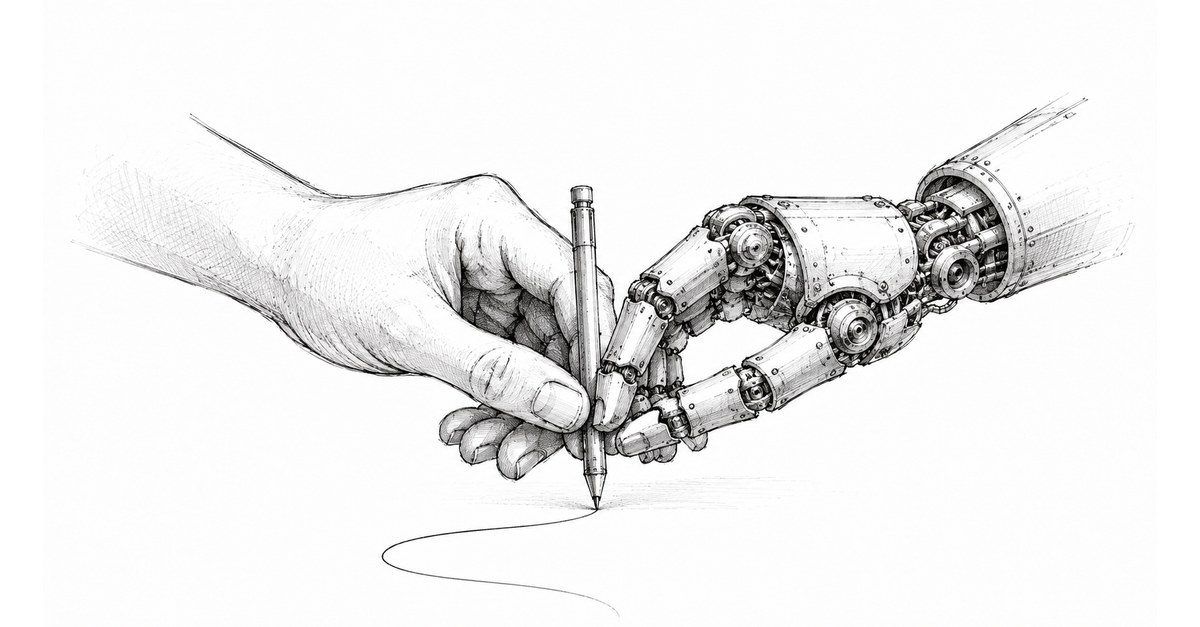
Tool use is the ability for an AI model to call external services - search engines, calculators, databases, APIs, software applications - in order to do its job. Instead of operating purely from its trained memory, the model can actively reach out to live information and live systems.
This sounds technical. It isn’t. The shift it produces is mostly common sense.
| Without tools | With tools |
|---|---|
| Model guesses at this morning’s news | Model searches the web and reports |
| Model invents customer purchase history | Model queries your CRM and reports facts |
| Model performs arithmetic in its head (badly) | Model calls a calculator |
| Model tells you what email to send | Model drafts and sends the email |
| Model lists what your spreadsheet should contain | Model opens the spreadsheet and edits it |
The shift in column 2 isn’t just about accuracy - though accuracy improves dramatically. It’s about what AI is actually for. A model with tools isn’t a clever talker. It’s a working colleague.
How Does Tool Use Eliminate Most Hallucinations?
Three categories of hallucination disappear once tool use is in place.
Factual gaps. If the model can search the web through something like Perplexity or built-in search, it doesn’t need to guess at current facts. The question moves from “what does the model remember?” to “what does the model find?“. Quality of evidence becomes the issue, not quality of guess.
Quantitative answers. Language models are statistically not arithmeticians. Asked to multiply two seven-digit numbers, they’ll happily produce a wrong answer with the same fluency as a right one. Connect them to a calculator, and arithmetic becomes a solved problem. The same logic extends to any numerical operation - financial modelling, statistical analysis, unit conversion.
Operational specifics. “What’s our top-selling product in the South East this quarter?” used to be a question that produced impressive-sounding nonsense. Today, with a CRM connector, it produces an answer pulled from the actual database, with actual numbers, that actually match what your finance team will tell you.
This doesn’t make AI infallible. Tools can be misused, search results can be misleading, and prompt injection remains a real risk. But the dominant failure mode - the model fluently making things up because it had nothing better to offer - is engineered out by giving the model something better to offer.
What Does This Look Like in Practice for Business Users?
The most visible expression of this shift is Claude Cowork, generally available since early 2026 on macOS and Windows. Where the original Claude was a chat window, Cowork is something different: a desktop agent that works through your applications using a clear hierarchy.
When you ask Cowork to do something, it follows a specific order:
- Use a connector if one exists - Gmail, Google Drive, Slack, calendar, CRM, Notion. This is the fastest and cleanest path.
- Use the browser if not - through the Claude in Chrome extension, browsing live sites, completing forms, extracting data.
- Use the screen directly as a last resort - clicking, typing, navigating apps that don’t have integrations.
This means a single instruction - “review this morning’s customer feedback in our support inbox, summarise the top three themes, draft responses to the most urgent five, and update our weekly trend report” - is no longer a five-tool, five-context-switch human task. It’s one Cowork session.
Anthropic isn’t alone here. Claude for Excel and Claude for PowerPoint add-ins have closed the loop with Microsoft Office, sharing context across applications so an analysis done in Excel informs the slides drafted in PowerPoint without copy-paste. Claude in Chrome does the same for browser-based work. Codex and Claude Code do the same for software development. The competing platforms - OpenAI’s ChatGPT desktop, Google’s Gemini integrations, Microsoft’s Copilot - are all moving the same direction.
The pattern is consistent: AI is dissolving into the tools you already use rather than asking you to switch to a new one.
Where Are the Biggest Commercial Wins?
For commercial, marketing and revenue leaders, the immediate value is in five areas.
Sales operations. AI agents that read your CRM, identify accounts that have gone quiet, draft re-engagement sequences, and queue them for human approval. The same agents handle CRM hygiene - merging duplicate records, enriching contacts from public sources, flagging stalled deals. This is repetitive, rules-driven work that humans are bad at because it’s boring. Tool-equipped AI is good at it because boredom isn’t a factor.
Marketing operations. Campaign monitoring agents that review performance overnight, reallocate budget against early signals, and brief the team in the morning. Content agents that maintain a publishing pipeline - drafting, fact-checking through web search, formatting, scheduling. Analytics agents that pull from Google Analytics, HubSpot, and your CRM to produce one weekly truth instead of three contradictory ones - assuming those systems are properly connected in the first place, which is its own playbook.
Customer success. Tool-equipped agents that read support tickets, query the knowledge base, draft responses, and either auto-resolve or escalate based on confidence. Gartner forecasts AI agents will autonomously resolve 80% of common customer service issues by 2029 - that’s not happening with chatbots. It’s happening with agents that have access to the actual systems where the actual answers live.
Finance and admin. Invoice processing, expense reconciliation, contract review against playbook clauses, supplier onboarding. The unsexy middle of operations, where tool-equipped AI quietly takes over without anyone needing to call it transformation.
Internal knowledge work. Research synthesis from real sources, briefing documents that pull from your shared drives, meeting notes that are actually accurate because they were transcribed by something that can also look up the names of the people in the meeting.
The common thread: every one of these wins requires the AI to reach out beyond its training and into your systems. None of them work with a chatbot in a separate window.
What About the Risks?
Connecting AI to live systems creates real risk surfaces, and pretending otherwise would be irresponsible. Three are worth flagging.
Prompt injection. A malicious instruction hidden in an email, document, or web page can attempt to hijack an AI agent into performing unauthorised actions. This is the area most actively researched in AI security, and the answer is layered defence: action review, per-application permissions, blocklists for sensitive applications. Anthropic, for example, blocks investment platforms and cryptocurrency apps from Cowork’s computer use by default.
Excessive autonomy. An agent given write access to your CRM, email, and calendar can do real damage if its instructions are misinterpreted. The mitigation is the same as for any junior employee: scoped permissions, approval workflows for high-stakes actions, audit logs for everything.
Data leakage. Cloud-based AI necessarily processes some data outside your network. Enterprise plans with data residency, no-training guarantees, and audit-grade logging are now standard from major vendors. The risk is real but manageable - and notably, it’s the same risk you accepted when you adopted Microsoft 365, Salesforce, or Google Workspace.
The right response to these risks isn’t to avoid integrated AI. It’s to govern integrated AI, in the same way you govern access to your other critical systems.
What Should Business Leaders Do About This?
Three concrete steps.
First, audit where your team is wasting time on app-switching. Every time someone leaves the application they’re working in to look something up, copy something across, or update something elsewhere, that’s a candidate for an AI integration. The biggest productivity gains aren’t in adopting new tools. They’re in connecting the tools you already have.
Second, start with read-only. The lowest-risk first deployments are AI agents that look things up rather than do things. Research, summarisation, internal Q&A. You build trust before you grant action authority.
Third, identify your tool-use champion. The teams pulling ahead in 2026 have someone whose job it is to work out which integrations matter and prove them at small scale. This is increasingly less about IT and more about operations - someone who understands the workflow, not just the technology.
The Bottom Line
The hallucination era of AI was real, but it was always a stopgap. Models with no tools had nothing to do but guess. Models with tools have something better to do.
For business leaders making decisions in 2026, the question to ask about any AI deployment isn’t “is it accurate?” - that’s the question of the previous era. The question now is “what does it have access to?“. An AI that can reach into your CRM, your inbox, your design tools, your codebase, your spreadsheets, your customer database is a fundamentally different proposition to a chatbot in a sandbox.
The chatbot era is ending. The integrated-colleague era is starting. The leaders who recognise this early will be the ones who reach 2027 wondering why their cost-to-serve halved while their competitors were still arguing about hallucinations.
Frequently Asked Questions
Why do AI models hallucinate?
Most hallucinations happen because training rewards confident answers, even when the model doesn’t actually know. Faced with a gap in its knowledge, a model is statistically more likely to invent a plausible-sounding answer than to say “I don’t know”. It’s a training incentive problem, not a model defect.
What is AI tool use?
Tool use is when an AI model calls external services to get real information or perform real actions - searching the web, querying a database, running a calculation, sending an email, editing a file. It turns the model from a closed system that guesses into an open system that looks things up.
How does tool use reduce hallucinations?
If a model can search the web, it doesn’t need to guess at facts. If it can use a calculator, it doesn’t need to fake arithmetic. If it can query your CRM, it doesn’t need to invent customer details. Tool use removes most of the situations where a model would otherwise blag an answer.
What’s the practical difference between a chatbot and an AI with tools?
A chatbot tells you what to do. An AI with tools does it. Ask a chatbot to draft a customer follow-up and you get text. Ask Claude Cowork the same and it pulls the customer’s history from your CRM, drafts the email in your tone, schedules the meeting, and updates the deal record.
Which AI integrations are most useful for business?
The biggest commercial wins come from connecting AI to the systems your team already uses every day - email, calendar, CRM, Slack, document storage, spreadsheets, and design tools. The goal isn’t to introduce a new application. It’s to make every existing application better.
Are integrated AI tools secure for business use?
Modern integration patterns use scoped permissions, audit logs, and approval workflows. Risk doesn’t disappear - new attack surfaces exist, particularly around prompt injection - but the security posture is closer to managing a junior employee’s access than installing a black box. The right approach is governance, not avoidance.
References
- Get started with Claude Cowork - Anthropic Help Center
- Claude Cowork product page
- Let Claude use your computer in Cowork - Anthropic Help Center
- Anthropic release notes - January to April 2026
- Gartner forecasts on AI agent customer service resolution rates, 2026 - via OneReach.ai
- DevOps.com - Claude Code Can Now Run Your Desktop, April 2026
Marc Price is the founder of Aandai, a B2B automation and AI consultancy helping mid-market businesses achieve more with less. With 24+ years in B2B technology marketing and web development, Marc specialises in connecting legacy systems, eliminating manual processes, and implementing practical AI solutions that deliver measurable ROI. Aandai uses tool-equipped AI agents - including Claude Cowork and a custom OpenClaw stack - to automate parts of its own consultancy delivery.